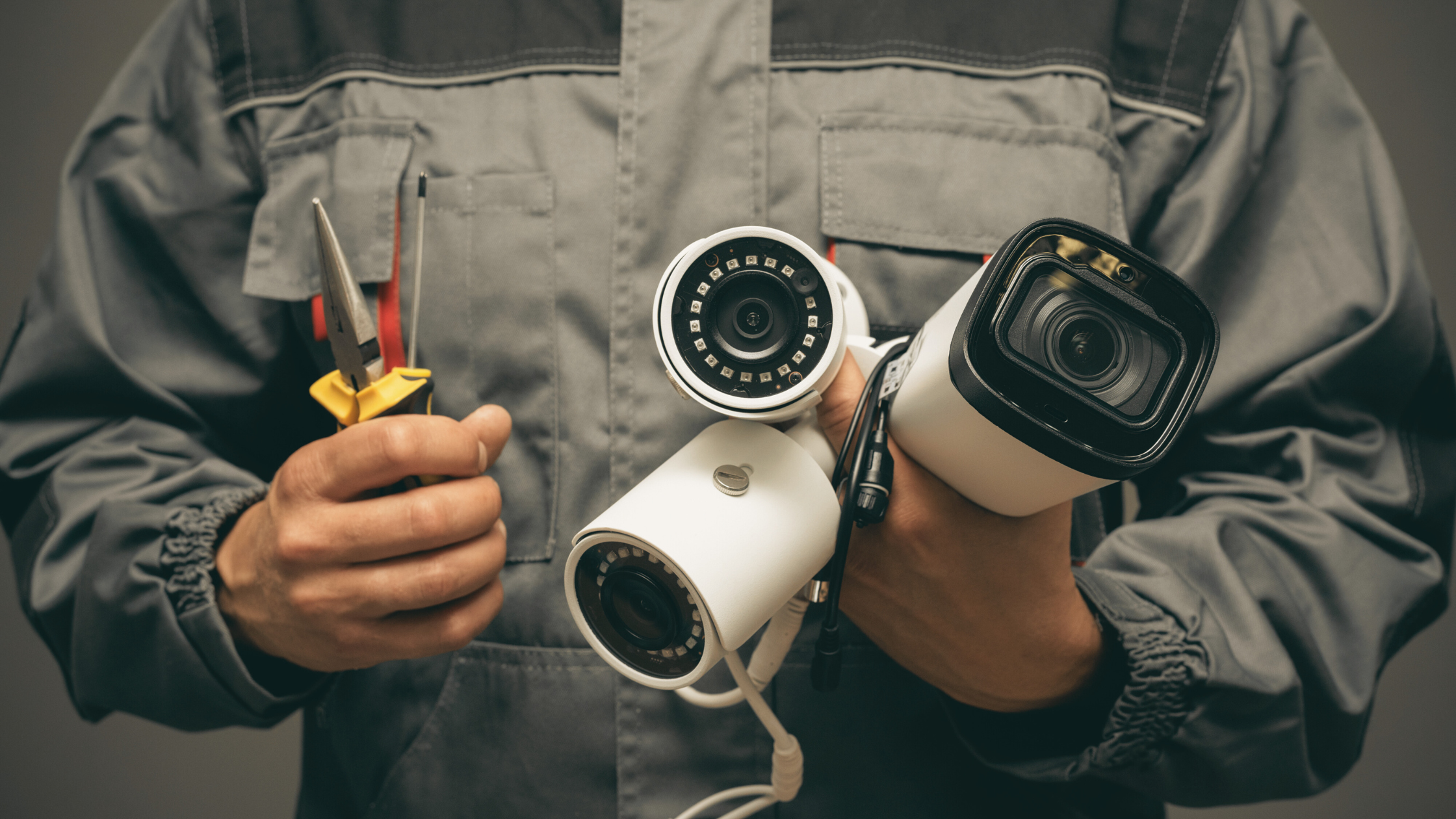
Ever wondered how safe your home really is when you’re away? Have you thought about what would happen if someone tried to break in while you were on holiday? Or perhaps you’ve asked yourself whether those security cameras you’ve seen advertised are actually worth the investment?
You’re not alone in these concerns. Home security is something we all think about, yet many of us put off taking action because it feels complicated or expensive. The good news? Installing security cameras has never been more straightforward. Whether you’re a complete beginner or someone with a bit of tech know-how, setting up a reliable camera system is genuinely achievable.
In this guide, we’ll walk you through everything you need to know about securing your home with cameras. From understanding your specific security needs to choosing the right equipment, planning your installation, and keeping everything running smoothly, we’ve got you covered. By the end, you’ll feel confident about taking that first step towards a safer home. So, let’s get stuck into it!
Understanding Your Home Security Needs
Before you rush out and buy the first camera you see, it’s worth taking a moment to assess what you actually need. Every home is different, and a one-size-fits-all approach rarely works when it comes to security.
Assessing Your Property’s Vulnerable Points
Start by walking around your property with fresh eyes. Look for entry points that might appeal to burglars—think front and back doors, ground-floor windows, side gates, and garages. Areas hidden from street view are particularly attractive to intruders because they can work undetected.
Consider your neighbourhood too. Have there been break-ins nearby? What’s the foot traffic like? These factors help determine how many cameras you’ll need and where they should go.
Indoor vs Outdoor Cameras: Which Do You Need?
Outdoor cameras act as your first line of defence, deterring potential intruders before they even attempt entry. Indoor cameras, on the other hand, provide peace of mind by monitoring what’s happening inside your home—particularly useful if you have pets, children, or carers visiting.
Most homeowners benefit from a combination of both. A typical setup might include two outdoor cameras covering entry points and one or two indoor cameras in key living areas.
Types of Security Cameras Explained
The sheer variety of cameras available can feel overwhelming. Let’s break down the main options so you can make an informed decision.
Wired vs Wireless: Pros and Cons
Wired cameras offer reliable connections and don’t depend on Wi-Fi strength, making them ideal for larger properties. However, installation is more involved, often requiring professional help and running cables through walls.
Wireless cameras are far easier to install yourself. They connect to your home network and send footage directly to your smartphone or cloud storage. The trade-off? They rely on strong Wi-Fi and may experience occasional connectivity issues.
Battery-Powered vs Mains-Powered Options
Battery-powered cameras offer flexibility in placement—you can stick them almost anywhere without worrying about power outlets. Just remember you’ll need to recharge or replace batteries periodically.
Mains-powered cameras never run out of juice, but you’re limited to locations near power sources unless you’re willing to run extension cables or have additional outlets installed.
Smart Cameras vs Traditional CCTV
Smart cameras connect to apps on your phone, send instant alerts, and often include features like two-way audio and facial recognition. Traditional CCTV systems typically record to a local hard drive and require you to review footage manually.
For most Australian homeowners, smart cameras offer the best balance of convenience and functionality. They’re generally more affordable and easier to manage than old-school CCTV setups.
Planning Your Security Camera Installation
Proper planning prevents poor performance. Taking time to map out your installation will save headaches later.
Where Should Cameras Be Placed?
Focus on high-traffic entry points first. The front door is a must—around 34% of burglars enter through the front. Back doors, side gates, and garage entrances are equally important.
Don’t forget about driveways and garden sheds. These spots often contain valuable items and provide potential hiding spots for intruders.
Optimal Camera Heights and Angles
Mount cameras between 2.5 and 3 metres high. This height captures facial features while remaining difficult to tamper with. Angle cameras slightly downward to maximise coverage without pointing directly at the sky.
Avoid placing cameras where they’ll face directly into the sun, as this creates washed-out footage. Similarly, ensure nearby lights won’t create glare or blind spots.
DIY Security Camera Installation: A Step-by-Step Guide
Ready to tackle installation yourself? Here’s how to get it done.
Tools and Equipment You’ll Need
Gather your supplies before starting: a drill, screwdriver, level, ladder, and your smartphone for app setup. Most wireless cameras include mounting brackets and screws in the box.
Installing Wireless Cameras Yourself
Start by downloading the manufacturer’s app and creating an account. Then, pick your mounting location and mark where the screws will go. Drill pilot holes, attach the bracket, and secure the camera.
Power up the camera and follow the app’s instructions to connect it to your Wi-Fi network. Test the view through the app, adjusting the angle as needed. It really is that straightforward.
Can I Install Security Cameras Myself?
Absolutely! Most wireless systems are designed for DIY installation. However, if you’re uncomfortable with heights, lack basic tools, or want a complex wired system, calling in a professional makes sense. There’s no shame in getting expert help.
Legal Considerations for Security Cameras in Australia
Before you start recording, you need to understand the legal landscape. Australia has specific rules about surveillance that vary slightly between states.
Privacy Laws and Your Neighbours
Generally, you’re allowed to record your own property without restriction. However, pointing cameras at neighbouring properties or public spaces raises privacy concerns. Ensure your cameras primarily capture your own land.
If cameras incidentally capture parts of neighbouring properties, consider adjusting angles or using privacy masking features to block those areas from recordings.
Is It Legal to Record Audio?
Audio recording laws are stricter than video. In most Australian states, recording private conversations without consent is illegal. Many homeowners disable audio recording entirely to avoid legal complications. Check your state’s specific legislation before enabling this feature.
Signage Requirements
While not always legally required, displaying signs indicating CCTV is in operation is good practice. It acts as an additional deterrent and demonstrates you’re being upfront about surveillance.
Maintaining Your Security Camera System
A camera system is only effective if it’s working properly. Regular maintenance keeps everything running smoothly.
Clean camera lenses monthly—or more often in dusty areas—using a soft cloth. Check mounts periodically to ensure cameras haven’t shifted or become loose.
Keep firmware updated. Manufacturers regularly release updates that improve performance and patch security vulnerabilities. Most apps notify you when updates are available.
Maximising Your Home Security Setup
Cameras work best as part of a broader security strategy.
Consider integrating cameras with smart home systems like Google Home or Amazon Alexa. This allows voice control and automation—imagine lights turning on automatically when motion is detected.
Combine cameras with motion-sensor lights, quality locks, and alarm systems. Multiple layers of security make your home a far less attractive target.
Are Security Cameras Effective at Deterring Burglars?
Research consistently shows that visible cameras deter criminals. Studies suggest homes without security systems are significantly more likely to be targeted. The mere presence of cameras makes intruders think twice.
Taking the First Step Towards a Safer Home
We’ve covered a lot of ground here—from assessing your security needs and choosing the right security cameras to installation, legal considerations, and ongoing maintenance. The key takeaway? Home security doesn’t have to be complicated or expensive.
Whether you opt for a simple two-camera wireless setup or a comprehensive multi-camera system, you’re taking a meaningful step towards protecting your family and belongings. Even a basic setup provides valuable deterrence and evidence-gathering capabilities.
So, what are you waiting for? Pick a starting point that suits your budget and comfort level, and get those cameras up. Your future self will thank you for the peace of mind. Here’s to a safer, more secure home!










+ There are no comments
Add yours