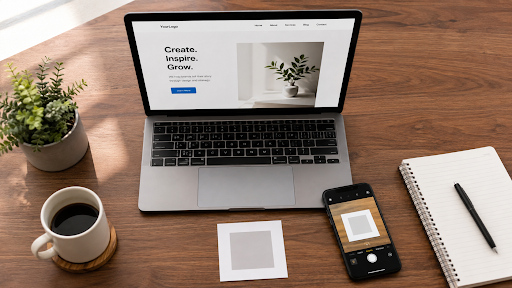
Almost every restaurant now has a QR code on the table. Most of them are doing exactly one thing with it, which is showing the menu.
That is fine. It is also a fraction of what the square can do, and a lot of owners are leaving the useful part on the table, literally.
The menu is the obvious start
Let us deal with it quickly. A digital menu saves reprinting costs every time a price moves. It lets you photograph dishes properly. It updates in seconds when the fish does not arrive.
But there are two things restaurants get wrong with menu codes and both are avoidable.
First, the menu opens as a PDF. On a phone, a PDF designed for A4 paper is a nightmare of pinching and scrolling. Build a simple web page instead. Even a basic one beats a beautiful PDF.
Second, the code replaces the printed menu entirely. Do not do this. Some guests have old phones, dead batteries, or simply do not want to look at a screen while eating. Keep a stack of printed menus behind the counter for anyone who asks.
The one that actually makes money
Reviews. This is the highest value QR code a restaurant can print and most do not have one.
Put a small code on the bill folder or a stand by the door with the words: enjoyed your meal? Scan to leave us a review. Point it directly at your Google review form, not your listing.
The difference matters. A listing link means the guest has to find the review button and scroll. A direct review link opens with the stars already waiting.
Restaurants I have set this up for typically see review counts move within a month. Not because the food changed, but because the twelve seconds of friction disappeared.
Wi-Fi without the shouting
A QR code can hold Wi-Fi details. Scanning connects the phone with no typing at all.
Print it on the table stand. Your staff stop reciting a sixteen character password forty times a shift, and guests stop mistyping it and asking again.
Small thing. Genuinely appreciated by everyone involved.
Feedback that never reaches Google
Here is a trick worth knowing. Put a second, quieter code on the table that opens a short private feedback form. Two or three questions, no login.
Unhappy guests often want to complain to someone before they complain publicly. Give them a private route and a fair number of one star reviews turn into a message you can actually respond to.
This is worth more to a restaurant than most marketing spend.
The others worth having
- A takeaway or delivery ordering link, on the door and on packaging
- A WhatsApp link for table bookings that opens with a message pre-written
- An Instagram link on the table, which suits places where the food photographs well
- A staff hiring page code on the window, which quietly saves a lot of walk-in enquiries
You do not need all of them. Two or three well chosen codes beat six competing for attention.
Getting the physical part right
This is where good ideas fail.
Size. Minimum three centimetres square on a table stand. On a window or a wall, much bigger.
Placement. On the table, not under the glass top where reflections kill it. By the door at eye level, not near the floor.
Lighting. Test it in evening restaurant light, not daylight. Many restaurants are dimmer than the owner realises because their eyes have adjusted.
Labelling. Every code needs a short line of text saying what it does. A row of unmarked squares is a puzzle nobody will solve.
Material. Laminate anything on a table. Codes meet water, oil and thumbs. A paper one lasts a fortnight.
Making them
For a restaurant these are almost all fixed destinations, which means static codes are fine and there is no reason to pay a monthly fee.
Make each one separately, download a high resolution file, and hand them to your printer as a set. I use this online qr code generator because it handles links, Wi-Fi details and plain text without switching you between tools, and the download is sharp enough for print.
Do this today
If you take one thing from this: make the review code. Print twenty copies. Put one in every bill folder tonight.
Tracking what works
If you print three different codes, you will eventually want to know which one people actually use. The cheap way is to point each code at a slightly different page on your own site and check the visitor numbers each month.
No subscription needed, and it answers the only question worth asking: is this square earning the space it takes up on the table? If a code gets nine scans in a month, take it off and give the room to something better.
Do not overdo it
There is a version of this that goes wrong, and I have seen it. A table with five laminated stands, each holding a different code, competing for the same guest’s attention.
Nobody scans five squares. They scan zero. Pick the two that matter most for your business, usually the menu and the review link, and put everything else somewhere else. The counter, the door, the packaging.
A restaurant table should feel like a place to eat, not a noticeboard.
It costs almost nothing and it is the only item on this list that shows up in your bookings within a month.







+ There are no comments
Add yours